Image Optimization for Entrepreneurs
Image optimization is essential for any entrepreneur or content creator on social media. Poorly optimized images can slow down your website and hurt your search engine rankings. In this article, we'll explore how to improve your images with practical image SEO tips.
Why Does Image Optimization Matter?
Image optimization is crucial for improving user experience and boosting your website's visibility in search results. Poorly optimized images can slow your site down, which can lead to a higher bounce rate and lower conversions.
Optimized images can also improve your website's accessibility, which is essential for meeting web accessibility standards.
According to recent studies, optimized images can improve a website's load speed by up to 30%.
So optimizing your images is essential to improve user experience and boost your website's visibility.
How to Optimize the Size and Compression of Your Images
The size and compression of your images are fundamental to image optimization. An image that's too large can slow down your site, while one that's too small can lose quality.
To optimize your image size, it's a good idea to use image compression tools like TinyPNG or ImageOptim. These tools can shrink your images without hurting their quality.
It's also important to choose the right file format for your images. For example, JPEG is ideal for photographic images, while PNG is ideal for images with text or graphics.
You should also consider your images' resolution. A resolution that's too high can slow down your site, while one that's too low can lose quality.
In short, optimizing the size and compression of your images is fundamental to improving your website's load speed and user experience.
There is also a dedicated page: compress images.
How to Add Alt Text and Descriptions to Your Images
Alt text and descriptions for your images are fundamental for accessibility and SEO. Alt text is the text shown in place of an image if it fails to load, while the title/description is text shown on hover.
To add alt text and descriptions to your images, use the alt attribute and the title attribute in your website's HTML code.
The alt attribute should be a concise, relevant description of the image, while the title attribute should be a more detailed description.
It's also important to consider the length of your alt text and description. Alt text that's too long can be hard to read, while a description that's too short may not be descriptive enough.
In short, adding alt text and descriptions to your images is fundamental to improving your website's accessibility and SEO.
How to Use Images to Improve Your Website's SEO
Images can be an important factor in your website's SEO. Optimized images can improve your website's visibility in search results and boost the user experience.
To use images to improve your website's SEO, use relevant keywords in your images' alt text and descriptions.
It's also important to consider the quality and relevance of your images. A low-quality or irrelevant image can hurt your website's credibility and negatively affect its position in search results.
You should also consider how many images you have on your website. A website with too many images can slow down load speed, while one with too few can lack visual interest.
In short, using images to improve your website's SEO is fundamental to increasing visibility and user experience.
Conclusion and Next Steps for Image Optimization
In short, image optimization is fundamental to improving user experience and boosting your website's visibility in search results.
To start optimizing your images, review their size and compression, add alt text and descriptions, and use images to improve your website's SEO.
It's also important to consider the quality and relevance of your images, as well as how many images you have on your site.
If you follow these tips, you'll be able to improve your website's load speed, boost the user experience, and increase your website's visibility in search results.
So it's essential to start optimizing your images as soon as possible to improve user experience and boost your website's visibility.
A Detailed Guide to Performance and User Experience
Web performance in 2026 is one of the most decisive pillars for the success of any digital strategy. When a user opens a page on a mobile device or a connection with limited coverage, every millisecond of delay in downloading media assets exponentially increases the chance they'll leave. Optimizing images isn't just about saving server space — it's about delivering a smooth, instant experience to every visitor.
Local processing through browser-based tools like the OmniPixy suite makes a fundamental difference compared to traditional platforms. By running all compression, conversion, and resizing algorithms 100% natively on your device via WebAssembly and modern JavaScript, your confidential photos and documents are never transmitted to third-party servers, keeping you in full control of your privacy.
Core Principles for Visual Optimization
- Exact dimension matching: Always export the image at the maximum resolution the on-screen container will actually need. Avoid uploading 4000-pixel photos for an 800-pixel space.
- Strategic format selection: Use WebP and AVIF for everyday web design thanks to their superior compression, and reserve JPG for guaranteeing compatibility with older tools or physical printing.
- Accessibility metadata: Write clear, contextual alt text to improve search engine rankings and ensure accessibility for screen-reader users.
- Standard color profile preservation: Confirm your files use the sRGB color space to prevent visual tones from shifting when displayed on different monitors or mobile screens.
Frequently Asked Questions (FAQ)
How large should a product photo be on my store?
As a rule of thumb, between 80 and 200 KB for an image displayed around 800 pixels wide. If a product page spends more than 300 KB per photo, the main content takes too long to paint and shoppers leave before seeing the price.
Should I optimize images before uploading them to the CMS?
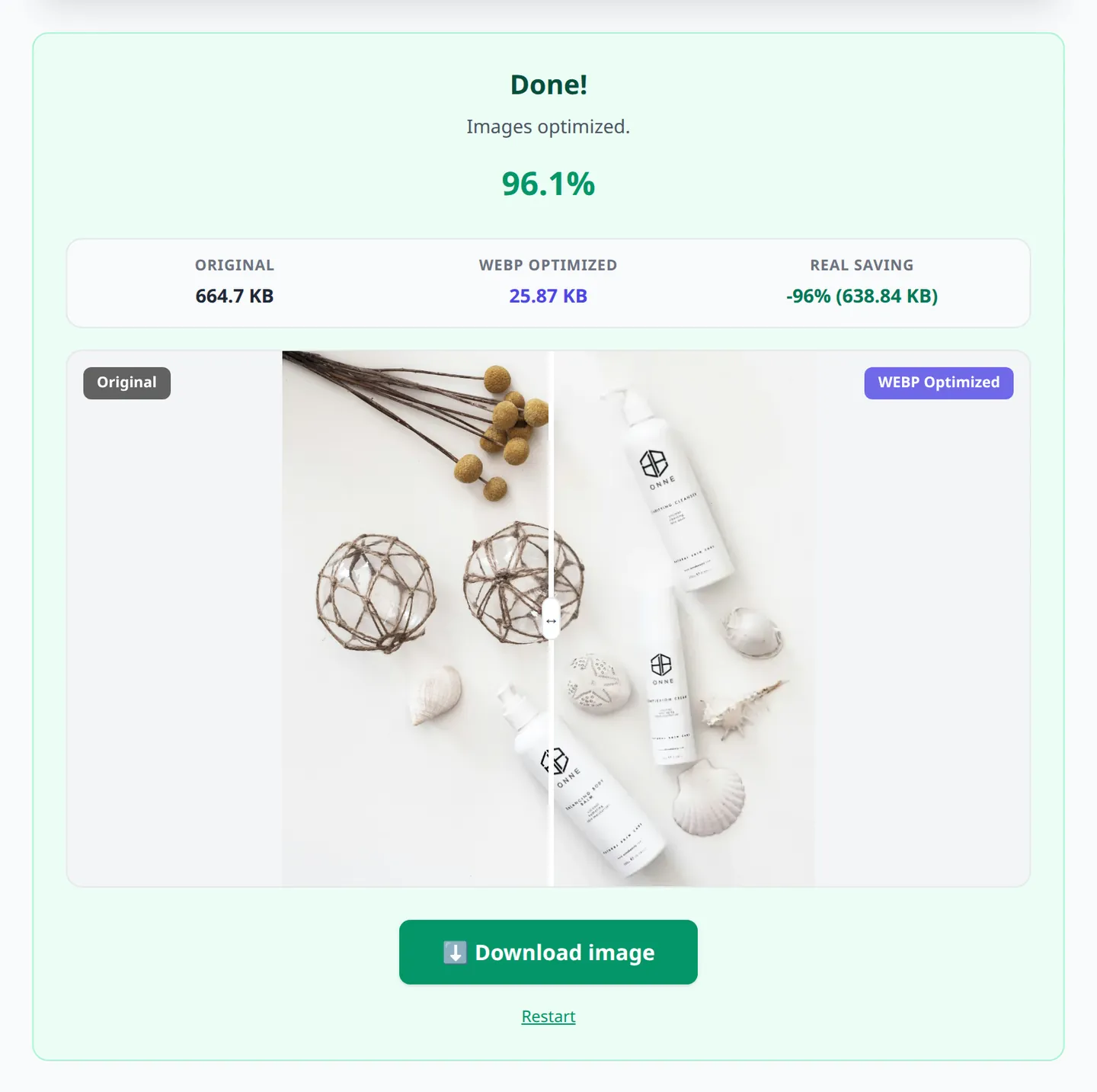
Yes. Compress and resize on your own machine first: you can check the quality with the slider comparison and you avoid WordPress or Shopify generating heavy copies you later have to replace one by one.
What should the alt text of a product photo say?
Describe what is visible, not what you want to rank for: “white leather sneaker on a grey background”, not “buy cheap sneakers”. If the image is purely decorative, leave the alt empty instead of stuffing it with keywords.
If your business sells online, don't miss our guide to image optimization for WordPress and Shopify.