ID and passport photos: sizes by country and how to print them at home
A rejected ID photo is a wasted trip. The problem is almost never the photo itself: it is the size. Every country asks for different millimetres, the head has to fill a required percentage of the frame, and the photo has to be 300 dpi or your printer turns it into mush. Here are the sizes, the framing and how to build the print sheet without leaving home.
1. Why ID photos get rejected
Almost every rejection comes down to three things, and none of them is the face you make. The first is the physical size: hand in 35x45 mm where 26x32 mm was asked for and it goes straight back. The second is framing: the head must fill 70-80% of the photo height, with the crown close to the top edge. The third is resolution: a 300x400 pixel image printed at 3.5 cm comes out at 217 dpi and looks soft.
All three are fixable with the same tool in about two minutes. What is not fixable is showing up at the counter without knowing what your country requires.
2. Sizes by country
These are the most common sizes. Before printing, confirm on the official site of the authority requesting the photo: they change more often than you would expect, especially for residency documents and visas.
| Country / document | Size | Notes |
|---|---|---|
| Spain — ID and passport | 26 x 32 mm | White background, face uncovered, no dark lenses |
| Spain — driving licence | 26 x 32 mm | Same format as the ID card |
| Schengen area — visa | 35 x 45 mm | Head 32-36 mm tall, light background |
| United Kingdom — passport | 35 x 45 mm | Plain light background, no shadows |
| United States — passport | 51 x 51 mm (2 x 2 in) | Pure white background, head 25-35 mm |
| Mexico — passport | 35 x 45 mm | White background, no retouching |
| Argentina — ID and passport | 40 x 40 mm | White or very light blue background |
| Colombia — ID and passport | 30 x 40 mm | White background |
| Chile — passport | 35 x 45 mm | White background |
| Peru — ID and passport | 35 x 45 mm | White background |
If your country is not listed, look up the specific document rather than the country: within one country, an ID card and a visa can require different sizes.
3. Framing: where the head goes
The physical size is half the problem. The other half is where you place the head inside that rectangle. The rule almost every authority shares:
- The crown, not counting stray hair, sits 3-5 mm from the top edge.
- The chin sits 7-10 mm from the bottom edge on a 45 mm tall format.
- The head fills 70-80% of the total photo height.
- The eyes sit in the upper half, roughly 60% up from the bottom.
- The photo is frontal, both eyes visible, mouth closed.
If the head is too small, the verification system rejects it even when the paper size is right. This is the most common mistake when someone crops a phone photo by eye.
4. Generating the photo at 300 dpi
Resolution is what separates a sharp photo from something that looks like a photocopy. At 300 dpi every metric size maps to an exact pixel count:
| Format | Pixels at 300 dpi |
|---|---|
| 26 x 32 mm | 307 x 378 |
| 30 x 40 mm | 354 x 472 |
| 35 x 45 mm | 413 x 531 |
| 40 x 40 mm | 472 x 472 |
| 51 x 51 mm | 602 x 602 |
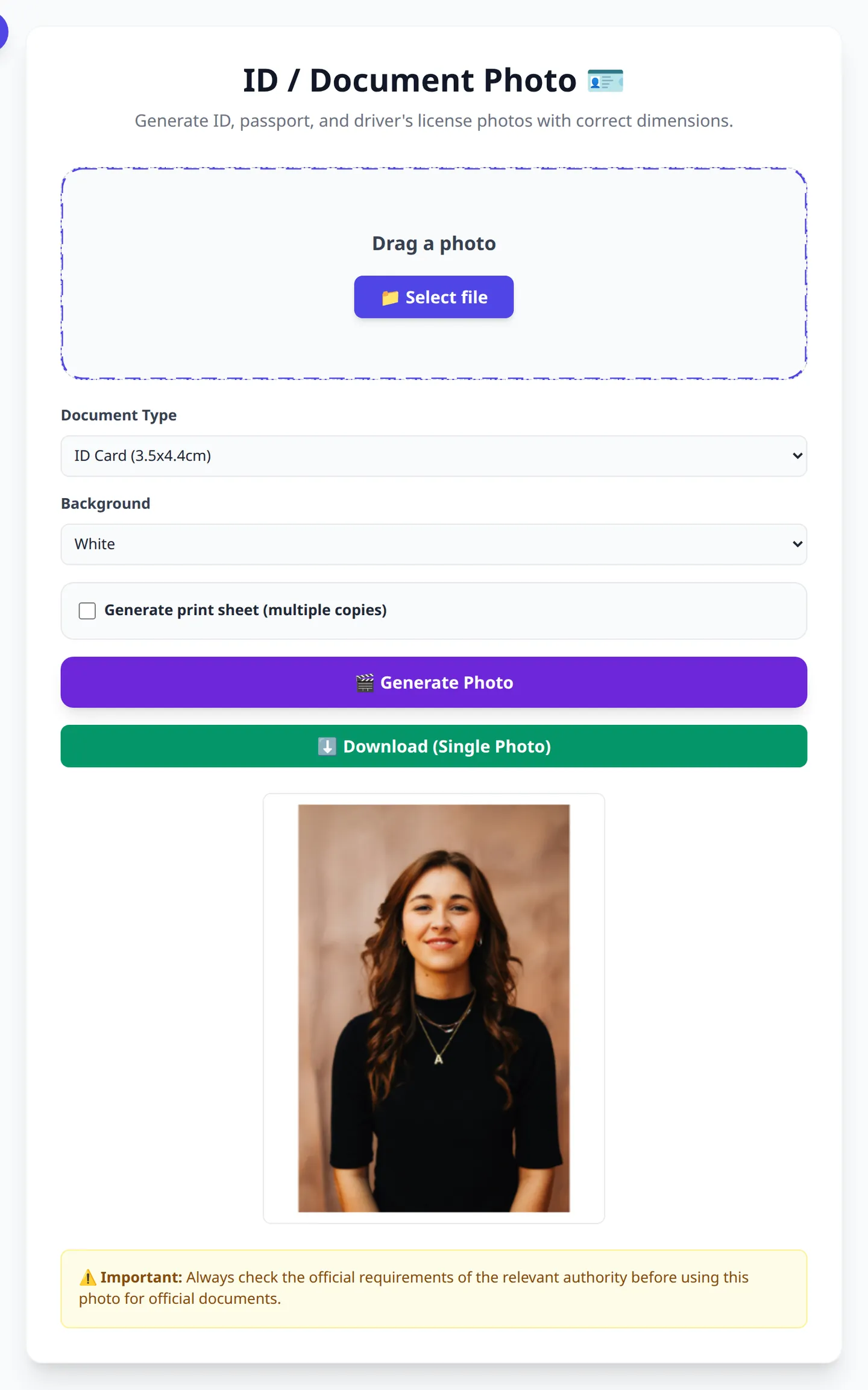
With OmniPixy's ID photo maker you pick the document, upload the photo, and the tool crops and scales to the exact pixel size. Nothing to calculate: the metric size and the pixels are tied together.
5. The 4x6 inch print sheet
A single ID photo through a home printer wastes paper and ink. What photo shops do is exactly what you can do yourself: repeat the photo on a 10x15 cm (4x6 in) sheet and cut it out.
A 10x15 cm sheet holds several copies of the same size. The tool lays the photo out repeated on the template with enough gap to cut with scissors without clipping the edge. Print the sheet on photo paper at 300 dpi, cut, and you get several copies for the price of one.
Two details that ruin the print: using plain paper, which shows grain and washes out colour, and letting the printer scale the image to "fit the page". Turn automatic scaling off and use the actual size.
6. Background and clothing
The background must be plain and light, with no shadows or objects. A white wall with diffused window light beats a bedsheet, which creases. If you do not have a plain wall, the browser background remover puts the subject on pure white without uploading the photo anywhere.
For clothing: avoid white against a white background, since you disappear into it, and avoid large prints. A plain-coloured crew neck or a shirt always works.
Make your ID photo now
Pick the document, upload the photo and download the print sheet. No signup, nothing uploaded.
Open the ID photo makerFrequently Asked Questions (FAQ)
Can I use a phone photo for an ID picture?
Yes, if it has enough resolution. A current phone easily produces 300 dpi at 35x45 mm. What matters is framing and background, not the camera.
How large should the head be in the photo?
70-80% of the total photo height, with the crown 3-5 mm from the top edge. If the head is smaller, many systems reject it even when the paper size is correct.
Can the same photo be used for an ID and a passport?
In Spain yes, both ask for 26x32 mm. In other countries no: check the specific document, not the country.
Can I print it at home?
Yes. Print the 10x15 cm sheet on photo paper at 300 dpi and disable the printer's automatic scaling. Plain paper shows grain.
Is my photo uploaded to a server?
No. The ID photo maker runs in your browser: the image never leaves your computer.
Conclusion
An ID photo does not fail because of your face: it fails on millimetres, framing and resolution. With the right size at 300 dpi and the 10x15 cm print sheet, you have the copies you need without visiting a shop. And if the background is not plain, you can fix it in the browser without uploading the photo anywhere.