Protect Your Photos: The Definitive Watermark and EXIF/GPS Cleanup Guide
Every photo captured with your smartphone or professional camera comes with an invisible "digital fingerprint": EXIF metadata revealing your exact GPS coordinates, date, time, camera model, and even its serial number. Learn to protect your privacy and your authorship with OmniPixy's tools.
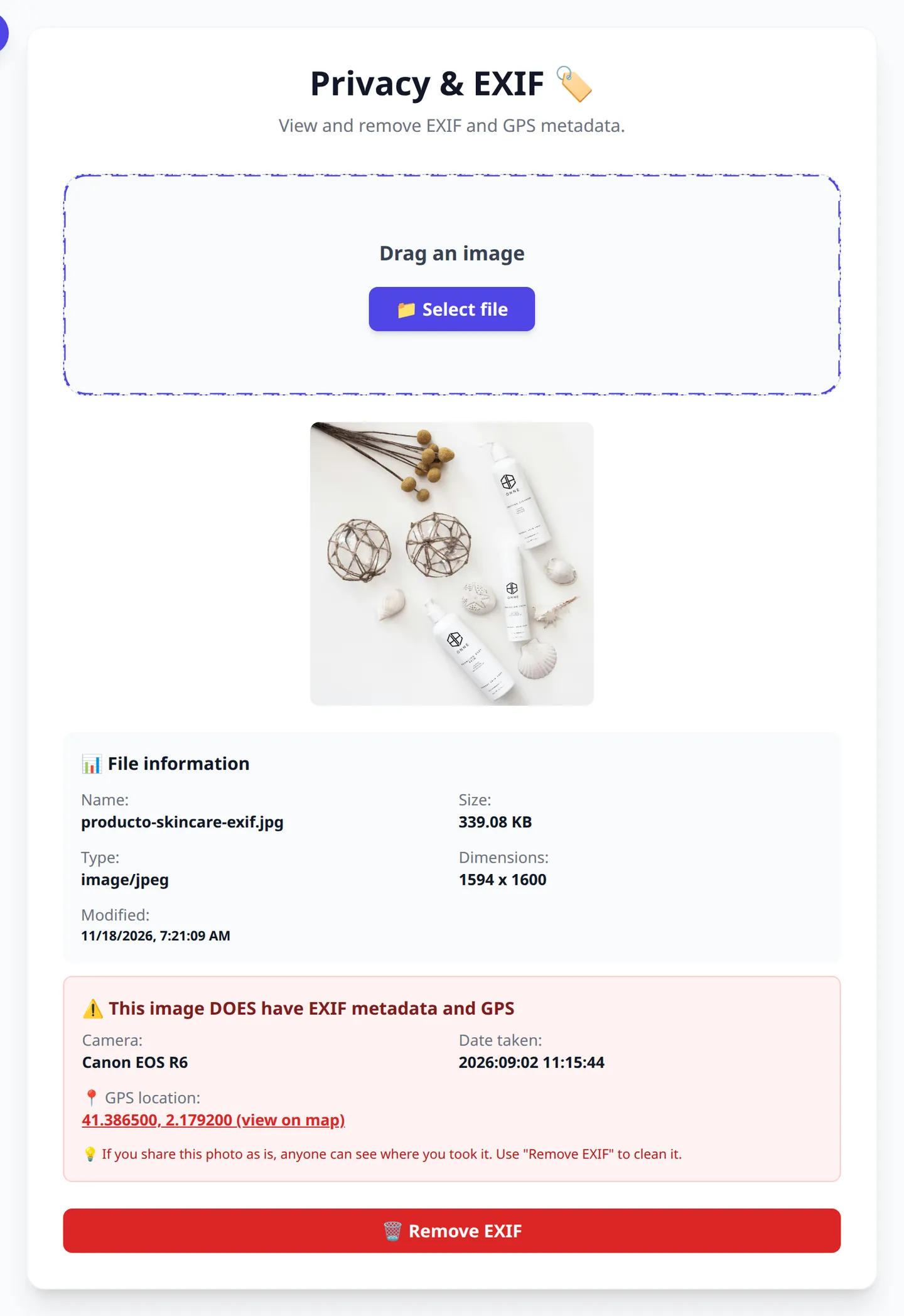
1. The Danger of Unknowingly Sharing GPS Coordinates
When you publish a photo of the inside of your home, your car, or your office online without cleaning its EXIF metadata, anyone can extract the exact GPS location down to a few meters.
This information leak is frequently exploited by cybercriminals for social engineering and unwanted tracking. Stripping EXIF data before uploading photos to the web is an essential digital security measure.
2. What Information Gets Stored in EXIF Data
- Geographic location: Exact latitude, longitude, and altitude (GPS).
- Device details: Phone brand, lens model, firmware, and serial number.
- Photographic parameters: Aperture (f-stop), shutter speed, ISO, focal length, and color profile.
- Time information: Exact date and time of capture and modification.
Clean Your EXIF Metadata in 1 Click
Inspect hidden metadata and generate safe copies of your photos, 100% private, right in your browser with OmniPixy.
Go to Privacy & EXIFThere is also a dedicated page: remove exif data.
3. Watermarks: Protect Your Intellectual Property
For photographers, designers, and online stores, unauthorized copying of product images or portfolios is a constant problem.
A well-designed watermark (with soft opacity and strategic placement) discourages image theft without ruining your customers' visual experience. With OmniPixy's Branding & Web tool, you can apply text or logo watermarks to batches of images in seconds.
4. Best Practices for Publishing Images Online
- Strip EXIF metadata from every image intended for social media, blogs, or forums.
- Apply your watermark to catalog images or original projects.
- Compress to WebP or AVIF to guarantee instant loading.
To check and remove a photo's metadata, go straight to the tool page: View and remove EXIF.
Conclusion
Protecting the privacy of your location and the ownership of your graphic work is simple once you have the right tools. With OmniPixy, every EXIF cleanup and watermark process happens on your own device, with no data ever uploaded to third-party servers.
A Detailed Guide to Performance and User Experience
Web performance in 2026 is one of the most decisive pillars for the success of any digital strategy. When a user opens a page on a mobile device or a connection with limited coverage, every millisecond of delay in downloading media assets exponentially increases the chance they'll leave. Optimizing images isn't just about saving server space — it's about delivering a smooth, instant experience to every visitor.
Local processing through browser-based tools like the OmniPixy suite makes a fundamental difference compared to traditional platforms. By running all compression, conversion, and resizing algorithms 100% natively on your device via WebAssembly and modern JavaScript, your confidential photos and documents are never transmitted to third-party servers, keeping you in full control of your privacy.
Core Principles for Visual Optimization
- Exact dimension matching: Always export the image at the maximum resolution the on-screen container will actually need. Avoid uploading 4000-pixel photos for an 800-pixel space.
- Strategic format selection: Use WebP and AVIF for everyday web design thanks to their superior compression, and reserve JPG for guaranteeing compatibility with older tools or physical printing.
- Accessibility metadata: Write clear, contextual alt text to improve search engine rankings and ensure accessibility for screen-reader users.
- Standard color profile preservation: Confirm your files use the sRGB color space to prevent visual tones from shifting when displayed on different monitors or mobile screens.
Frequently Asked Questions (FAQ)
How do I remove the GPS location from a photo?
With an EXIF viewer or cleaner: open the image, see which metadata it carries and strip it before publishing. Be aware that forwarding through WhatsApp or Telegram often keeps part of the data.
Does a visible watermark protect my photo?
It deters, but it does not prevent use: it can be cropped out or covered. It makes unauthorised use visible and carries your name with the image, not a substitute for registering your rights.
Does compressing or resizing erase EXIF?
Often yes: most tools re-encode the image and drop the metadata on the way. Do not assume the GPS disappears because you compressed the file; check it with the viewer.
W3C Standards and the Future of Digital Imagery
With the rapid evolution of OLED mobile screens and high-resolution 4K/8K monitors, the standards defined by the W3C consortium for web graphics increasingly emphasize adaptive visual experiences. Adopting optimized workflows through OmniPixy's local tool suite ensures your website strictly meets the accessibility, internationalization, and response-speed recommendations demanded by leading search engines.
Another way to protect and reuse your photos is removing the background with AI before giving them a new use.
And if you need to recover the written text in a photo or a scan, our article extracting text from an image free with OCR shows you how to do it online in seconds.